 HelloMona
Two photos. One studio duet.
Alors on Danse AI Video Generator
You on the keys. Your friend on the laptop. Turn two portraits into a playful eight-second duet in a crisp white studio.
See the result
480p · 8sReference photos used for this example
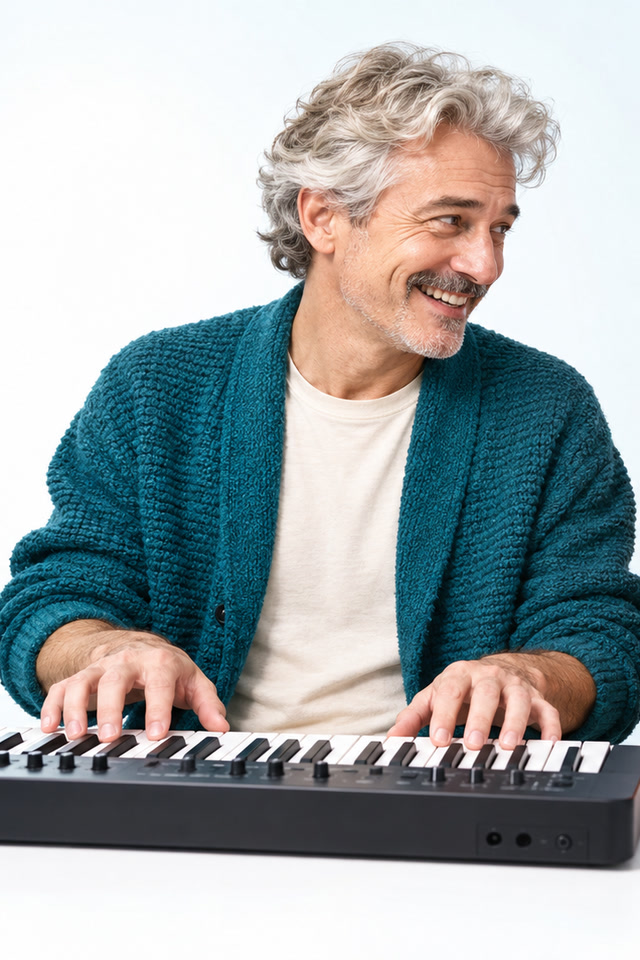

Your white-studio duet
Actual Seedance 2.0 Mini output using fictional adult reference portraits. An original AI reinterpretation; likeness and motion can vary.
Original scene ambience only. Add the trending sound in your social app when you share.
Create an Alors on Danse AI duet
Make your version in three steps
- Choose the reference photo for each role. Use a clear face, good light and an unobstructed upper body.
- Choose your model and frame, check the credit quote and confirm permission to use the photos.
- Generate, then return to this page to play and download your saved MP4. Add your platform sound when posting.
Made for your next post
Your take on the trend
Put yourself in a recognizable scene with no filming or prompt writing.
A group-chat surprise
Make a playful remix with a friend who has agreed to take part.
Ready for your feed
Choose a vertical frame for Reels and Shorts, or a wide frame for a shared screen.
What is the Alors on Danse AI meme?
This photo-to-video format turns two people into a playful studio duo. In this recipe, the first person plays a keyboard while the second responds beside a laptop, with a shared shoulder bounce in a bright white room. The name connects the effect to the Alors on Danse social-video format, but the output is a newly generated interpretation. Watch the real example above and inspect both reference portraits to see how the two roles were assigned. It is useful for an agreed-upon friend or partner remix when you want a short duet without arranging a studio shoot.
How to make an Alors on Danse AI video with two photos
Prepare one adult portrait for each role. Upload the keyboard player first and the laptop partner second; the order matters because the template assigns different actions to the two references. Check each preview before choosing the frame and available model variant. Review the quote and confirm permission from both people before submitting. No source music video or keyboard performance is needed. After generation, watch the complete eight-second duet and check both faces, role placement and hand movements near the instruments. Download the MP4 for your own backup, then edit or share it in your preferred app. Results may differ from the public example even with similar photos.
Alors on Danse music, original footage and your duet
If you want the original song or music video, this page does not distribute them. The generator makes a white-studio duet with scene ambience, without the source recording or an artist voice. It does not paste your faces into the original video. To post a version with music, download your result and add a sound available in your social app, checking the timing against the keyboard and shoulder movements. A generated gesture does not guarantee exact musical synchronization. The tool is independent of the artist; any separate sound you add remains subject to its own availability and permitted uses.
Choose two photos for the studio duet
Each upload guides a different person. Use separate portraits with a similar level of clarity so both roles have useful reference information.
- Use one adult per photo, with a clearly visible face and upper body. Avoid group shots that leave the model uncertain about the intended person.
- Check the role labels: first is the keyboard player, second is the laptop partner. If the assignment is wrong, change the references before submitting.
- You do not need matching clothes, instruments or a white studio in the source photos. The template supplies the environment, while likeness and hand motion can vary.
Before you make your video
What is the Alors on Danse AI effect?
It is an original white-studio duet inspired by the social-video format: one person plays a keyboard and a partner responds beside a laptop. Both portraits guide their own roles. It is not the original music video or a frame-for-frame face swap.
Can I make an Alors on Danse AI video for free?
You can watch the public duet demo for free. Generating your own two-photo video requires an account and credits at the quote shown before submission. A confirmed failure returns credits automatically; the page does not promise unlimited free generations.
Is generation free?
Watching the public example is free. Personal generation requires an account and credits. The current model and variant quote appears before you submit; confirmed failures return credits automatically.
Does it include the original song or footage?
No. This tool creates a new interpretation with original scene ambience. It does not include the source song, artist voice or original footage. You can add a platform sound in your social app. Exact movement and likeness vary.
Who can see my photos and result?
Your reference photos are sent to the configured video provider. Task results are saved privately and delivered only to their signed-in owner. Public examples use separately prepared fictional adults. Download your result for your own backup.
How long is the video, and what if I leave the page?
The recipe creates an eight-second MP4 in vertical or landscape format. Generation can take several minutes. Your saved task continues processing and appears in recent videos when you return. A confirmed failure refunds its credits.
Product information maintained by HelloMona · Last reviewed: · Contact